
- USER GUIDE FOR PARTNERS (PARTNER WORKSPACE)
- 1. Dashboard (Overview Page)
- 2. Account & Profile (Account & Profile Management)
- 3. Contract/PO (Partner's Contract / Purchase Order Management)
- 4. School Management (Affiliated School Management)
- 5. License Pool (License Pool)
- 6. License management (Course Access License Management)
- 7. Leanbot Management (Leanbot Robot & Practical Tools Management)
- 8. License Transaction (Transaction Information)
- 9. Reports (School License Usage Statistics)
USER GUIDE FOR PARTNERS (PARTNER WORKSPACE) #
Welcome to the detailed user guide for Partner accounts on the Pythaverse platform. Partners are responsible for managing schools, teachers, and students within their distribution scope, as well as managing the license pool allocated by the Distributor.
—
1. Dashboard (Overview Page) #
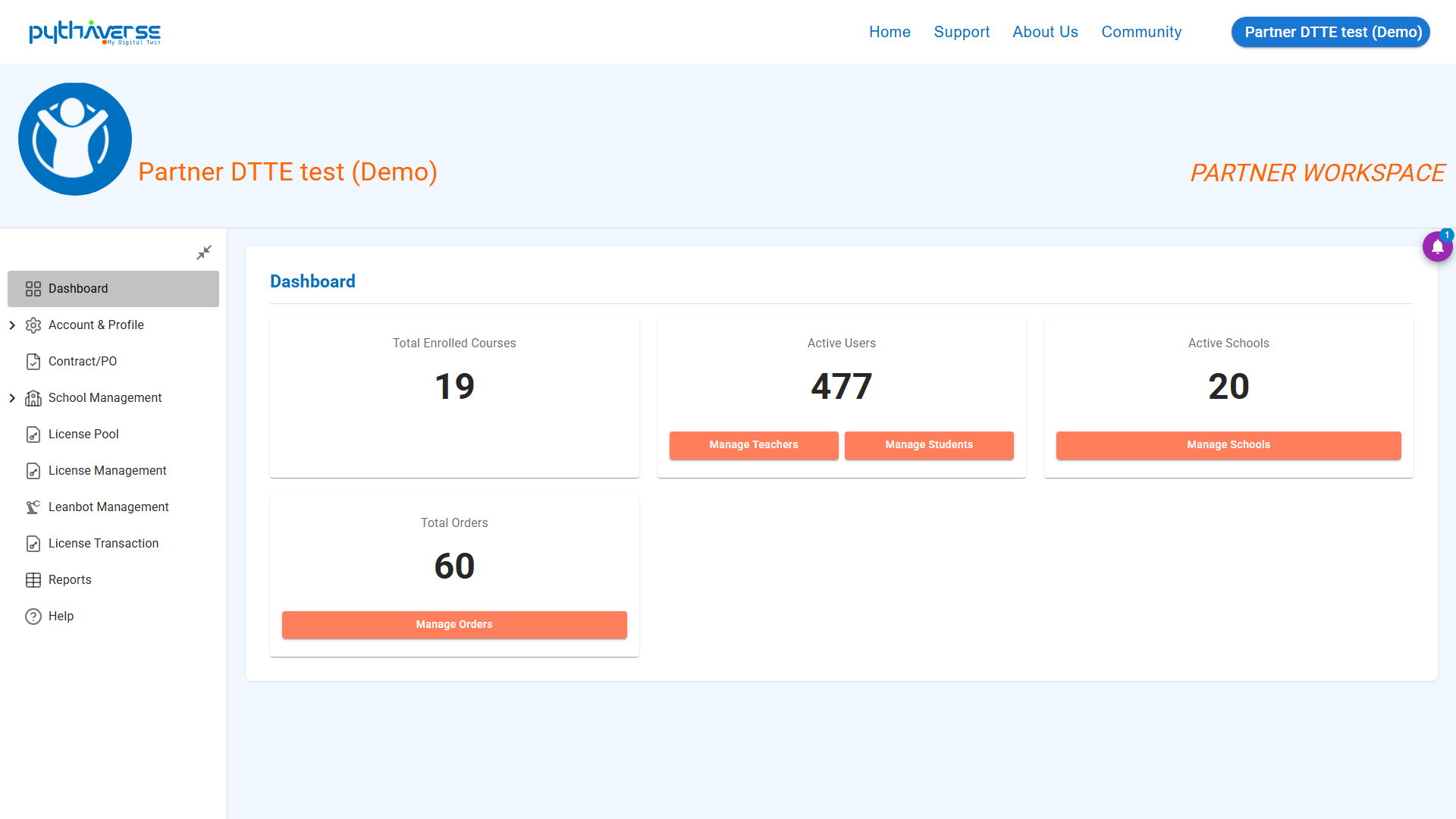
- Interface Description: The overview page displays quick statistics about the system, including:
- Total Enrolled Courses: The number of courses currently being taught at the schools (a single course taught at multiple schools is counted as 1).
- Active Users: The number of active affiliated students and teachers.
- Active Schools: The total number of schools managed directly by the partner.
- Total Orders: License purchase and sales orders that have been executed.
- Functional Buttons:
- Manage Students and Manage Teachers buttons (orange): Click to quickly redirect to the Student or Teacher list page.
- Manage Schools button (orange): Click to go to the School management page.
- Manage Orders button (orange): Click to go to the License Order management page.
- Illustration:
Hình ảnh: Dashboard
—
2. Account & Profile (Account & Profile Management) #
This menu consists of 2 main features: Admin Account and Profile.
#### 2.1. Profile (Personal Profile)
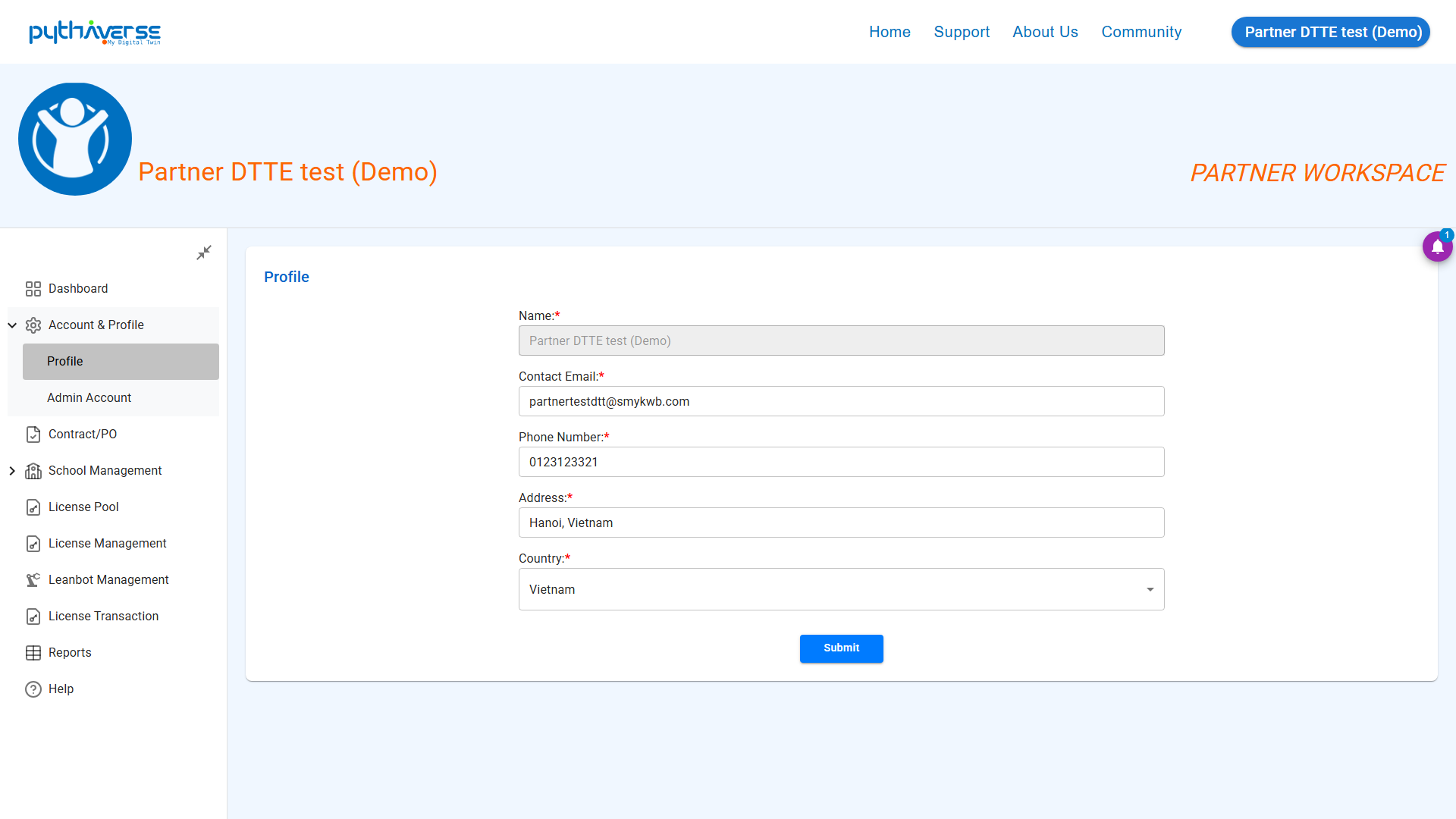
- Interface Description: Displays the partner’s basic personal information (Full name, email, avatar, phone number…).
Hình ảnh: Profile
#### 2.2. Admin Account (Administrator Account)
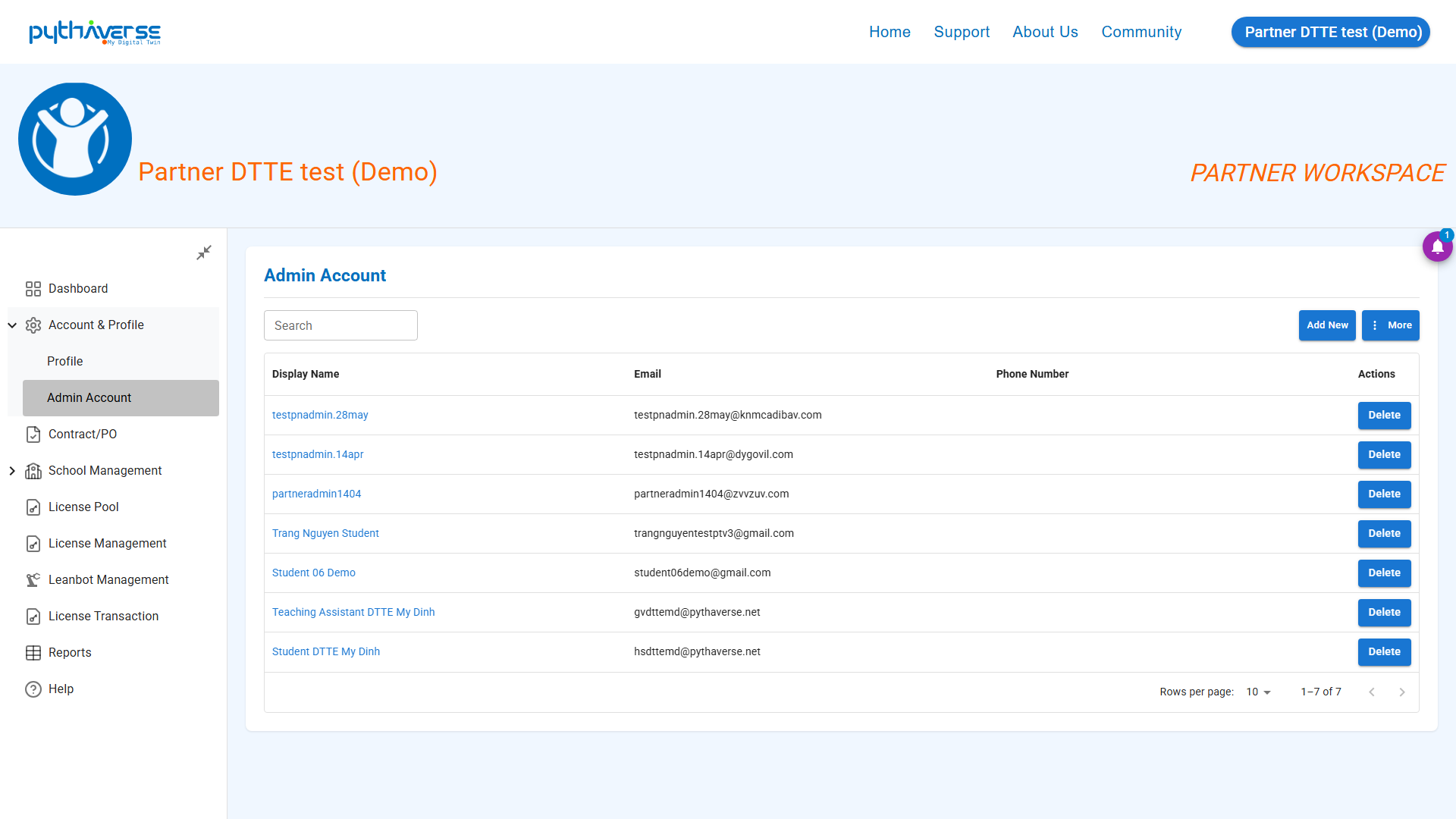
- Interface Description: Manage and assign permissions for school administrator accounts.
Hình ảnh: Admin Account
—
3. Contract/PO (Partner’s Contract / Purchase Order Management) #
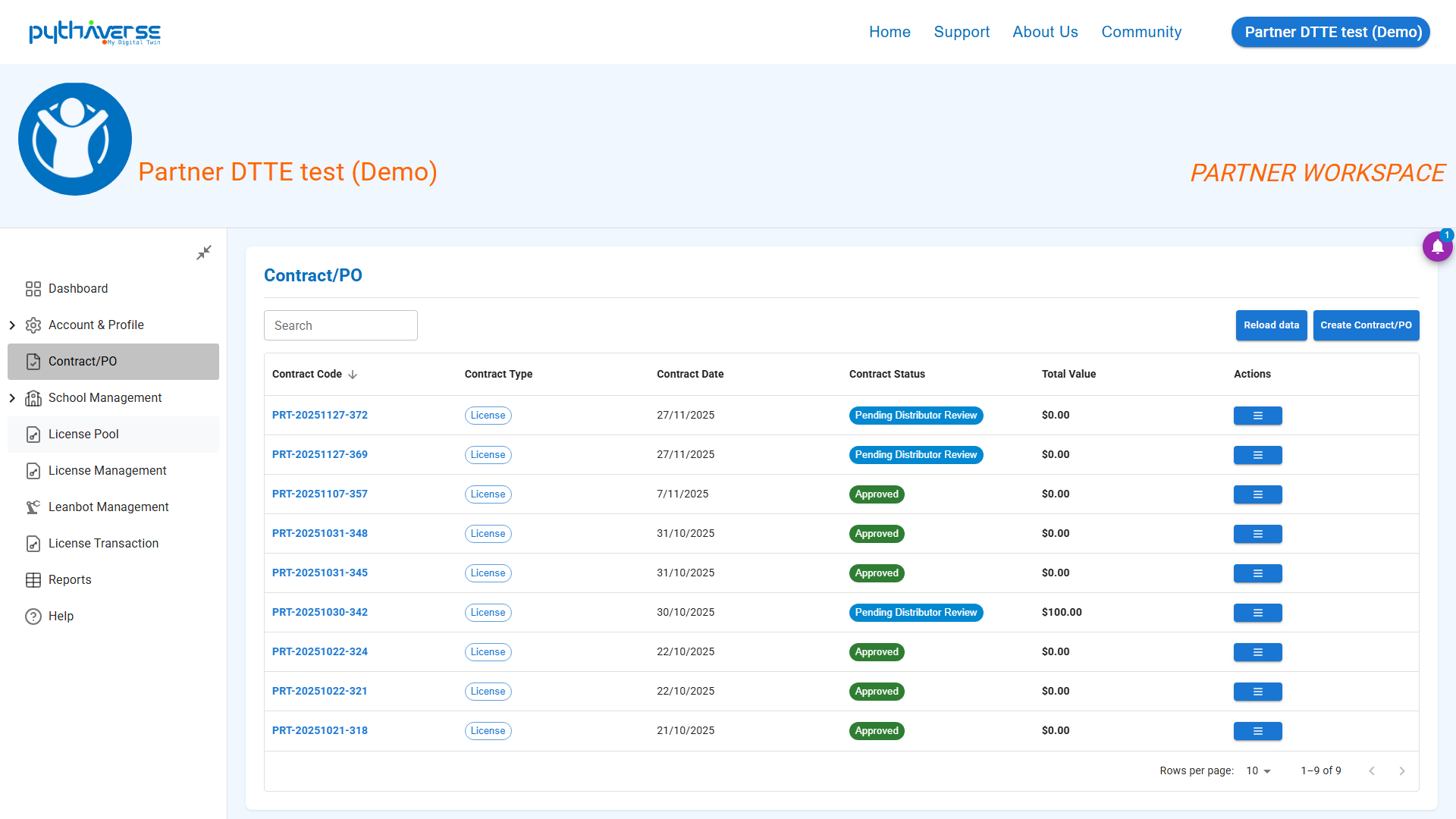
- Interface Description: List of contracts or Purchase Orders (PO) between the Partner and the Distributor, used for storing inventory before further distribution to affiliated schools.
- Statuses:
- _Pending Distributor Review_: The partner needs to contact the Distributor for order approval.
- _Approved_: The contract has been approved.
Hình ảnh: Contract/PO
—
4. School Management (Affiliated School Management) #
This group of features includes: School List, Account Creation, Teacher List, and Student List.
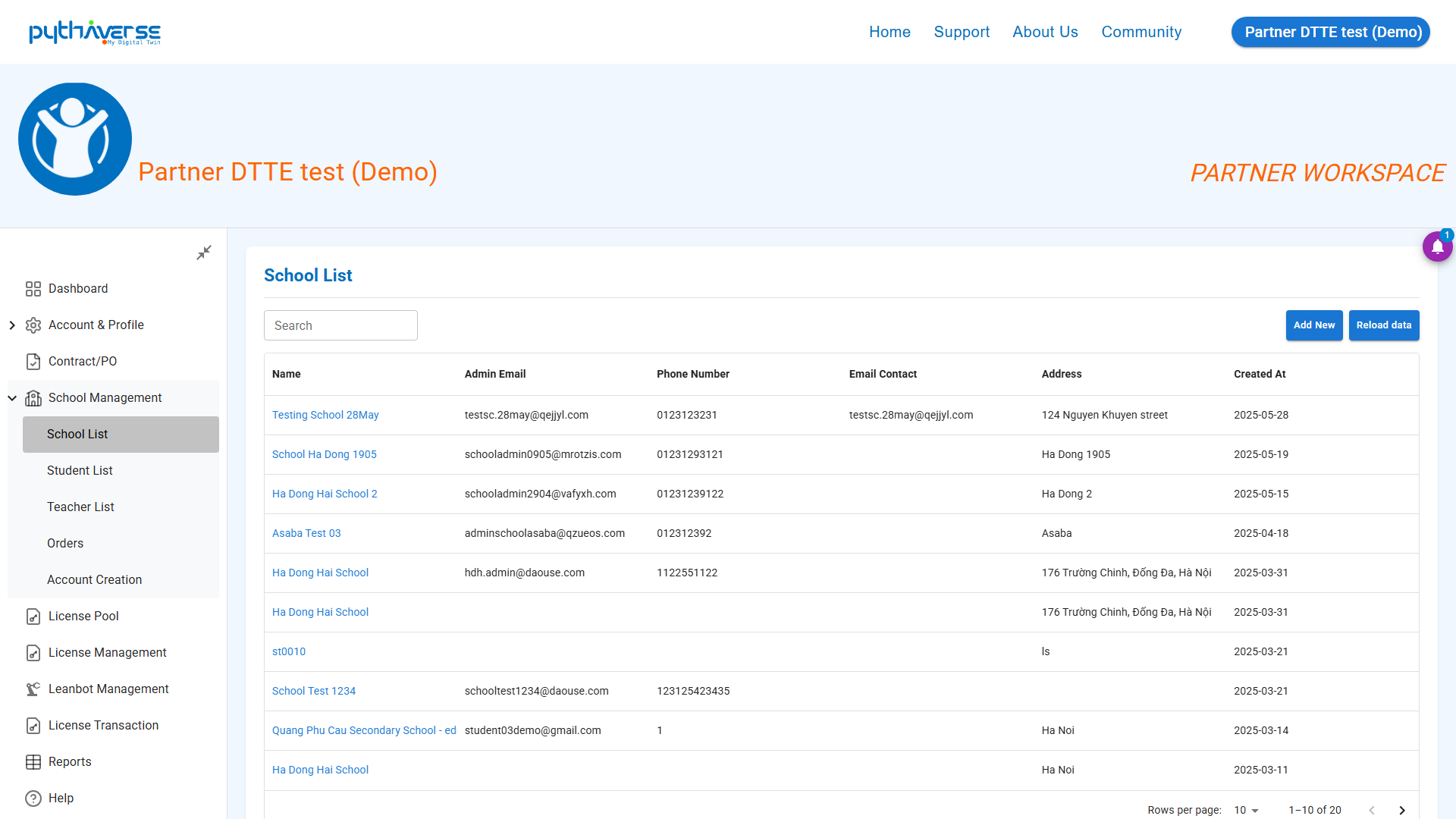
#### 4.1. School List (School List)
- Interface Description: Manage the list of schools directly managed by the Partner.
- Functional Buttons: Add School button (Add a school), search school button, and click on a school’s name to access the overview information of that school.
- Illustration:
Hình ảnh: School List
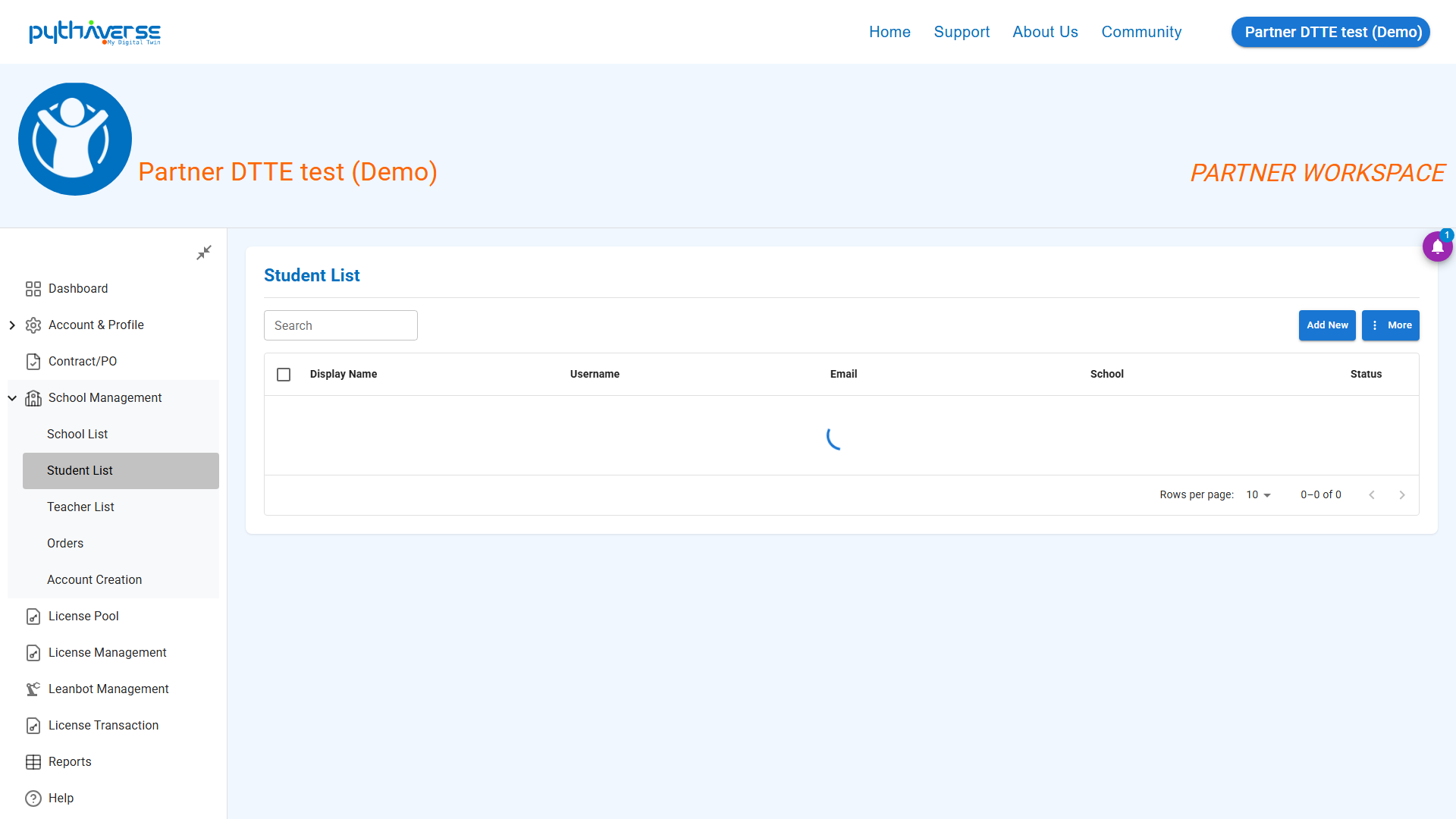
#### 4.2. Student List (Student List)
- Interface Description: Manage the list of all students under the partner’s system.
- Functional Buttons: Search for students by school/class, unlock account, and update class.
- Illustration:
Hình ảnh: Student List
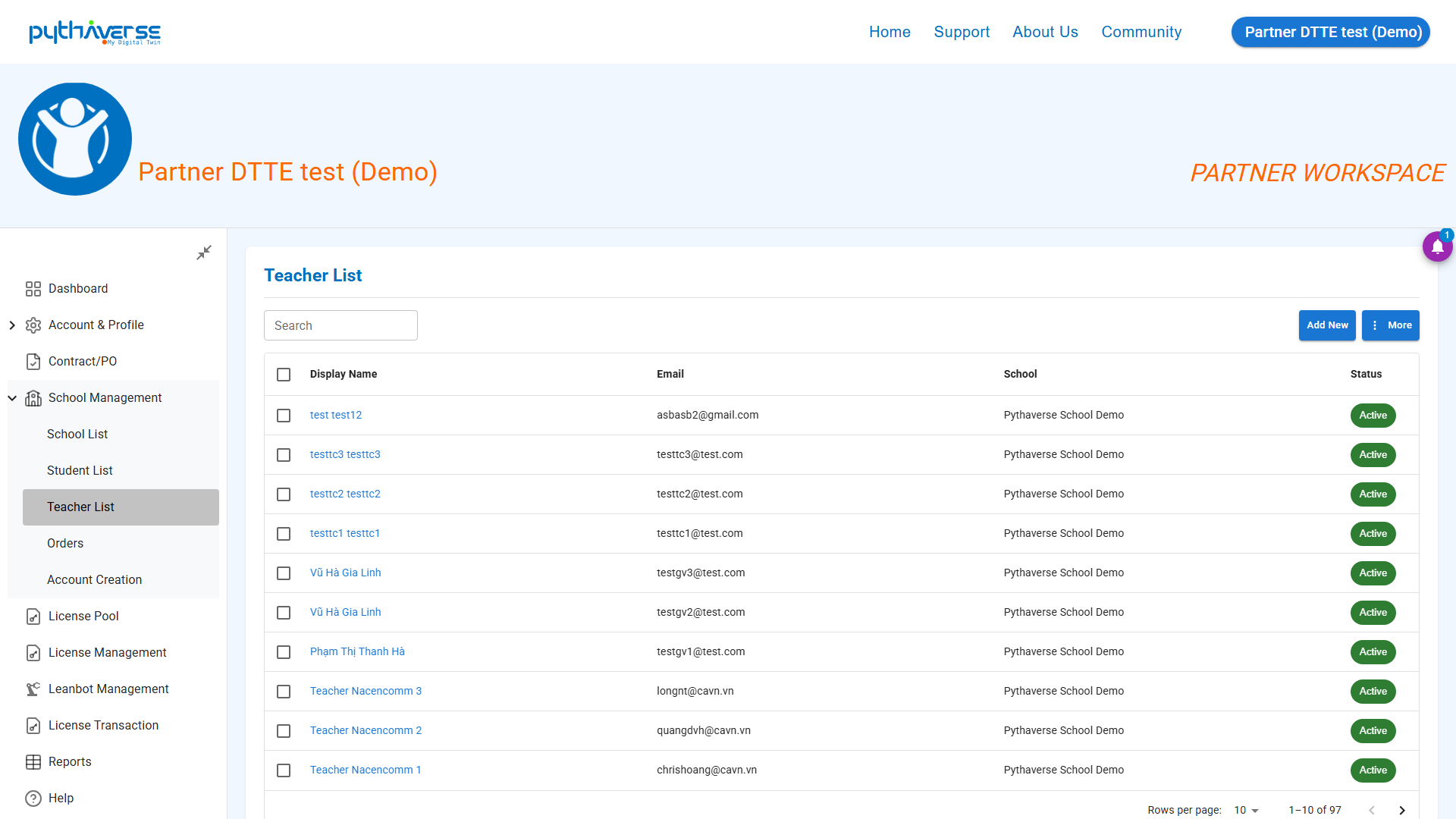
#### 4.3. Teacher List (Teacher List)
- Interface Description: Manage information for all teachers belonging to the schools managed by the partner.
- Functional Buttons: Refresh teacher list button, Create new teacher account, and export list.
- Illustration:
Hình ảnh: Teacher List
#### 4.4. Orders (License Purchase Order Management)
- Interface Description: Displays the list of placed orders by the partner.
- Functional Buttons: Order filters, and a button to create a new order to purchase more licenses.
- Illustration:
Hình ảnh: Orders
#### 4.5. Account Creation (Automated Bulk Account Creation)
- Interface Description: A tool for creating bulk accounts for school target groups (Teachers, Students).
- Functional Buttons: Download Excel template button, and Upload filled Excel data button to automatically create accounts.
- Illustration:
Hình ảnh: Account Creation
—
5. License Pool (License Pool) #
Interface Description: The license pool containing the Partner’s licenses. Here, the partner can check the remaining licenses available for allocation to schools.
- License Categories: Statistics on the number of Licenses currently owned and ready for allocation (Available) to schools in need, as well as the number of Licenses already distributed (Used) to affiliated schools.
- Leanbot Products: Statistics on the number of Leanbots and learning tools currently available for distribution and the number of Leanbots sent to schools.
- License Pool Usage Overview: Partners can track the details of available and used Course Access Licenses for each course category.
- License Courses Breakdown: Statistics on the number of Licenses used by schools for corresponding courses. (Note: The school name “Pool License” actually represents the number of Licenses ready to be distributed to the partner’s schools).
- Leanbot Products Inventory: Statistics on the number of Leanbot robots and learning tools used by the corresponding schools. (Note: The school name “Pool License” actually represents the number of Leanbot robots and learning tools ready to be distributed to the partner’s schools).
- Illustration:
Hình ảnh: License Pool
—
6. License management (Course Access License Management) #
Interface Description: Access detailed information on distributed course access licenses (both used and unused at the recipient schools) and the remaining quantity in the Partner’s repository.
*Note:* Licenses associated with the school name “Pool License” actually represent the quantity of Course Access Licenses in the Partner’s repository, ready for distribution to the Partner’s schools.
- All licenses: List of information for courses currently being used at schools.
- School Usage: List of schools along with the number of distributed licenses, the usage rate, and the last access time of users in those schools.
- Summary: List of active and used courses across schools.
Hình ảnh: License Management
—
7. Leanbot Management (Leanbot Robot & Practical Tools Management) #
Interface Description: Access detailed information on the quantity of distributed Leanbot robots and practical tools, as well as the remaining quantity in the Partner’s repository.
Hình ảnh: Leanbot Management
—
8. License Transaction (Transaction Information) #
Interface Description: Partners can audit transactions related to Course Access Licenses, Leanbot robots, and learning tools of the Partner and their managed schools. This includes actions such as assigning/revoking student course access, and the number of times the Partner created contracts to purchase additional licenses/Leanbot robots from the Distributor.
Hình ảnh: License Transaction
—
9. Reports (School License Usage Statistics) #
Interface Description: Partners can quickly monitor course information, such as the number of ongoing courses, number of student users, and number of teacher users belonging to the managed schools.
Hình ảnh: Summary Report


